You can change your Active Directory password in the Foldr for iOS app.
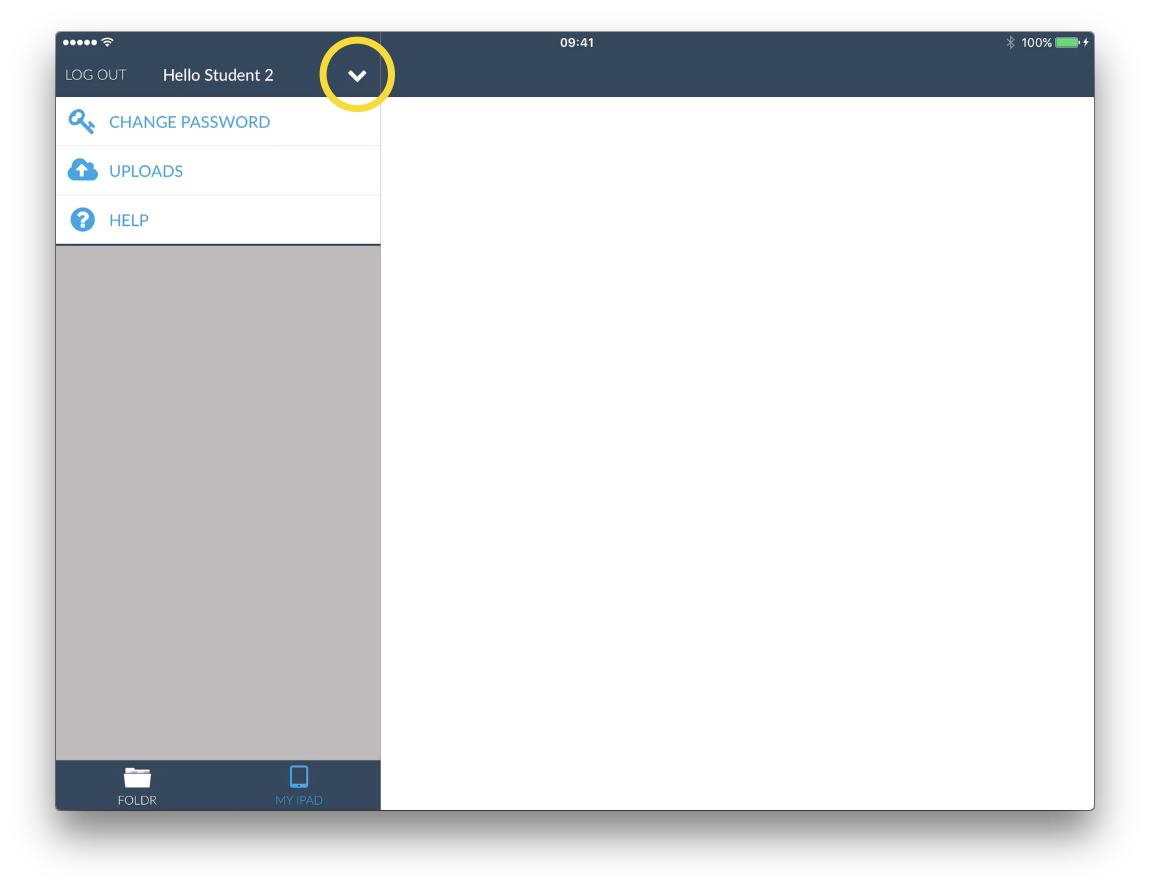
First login to Foldr and tap the Action Menu . Then tap ‘CHANGE PASSWORD’
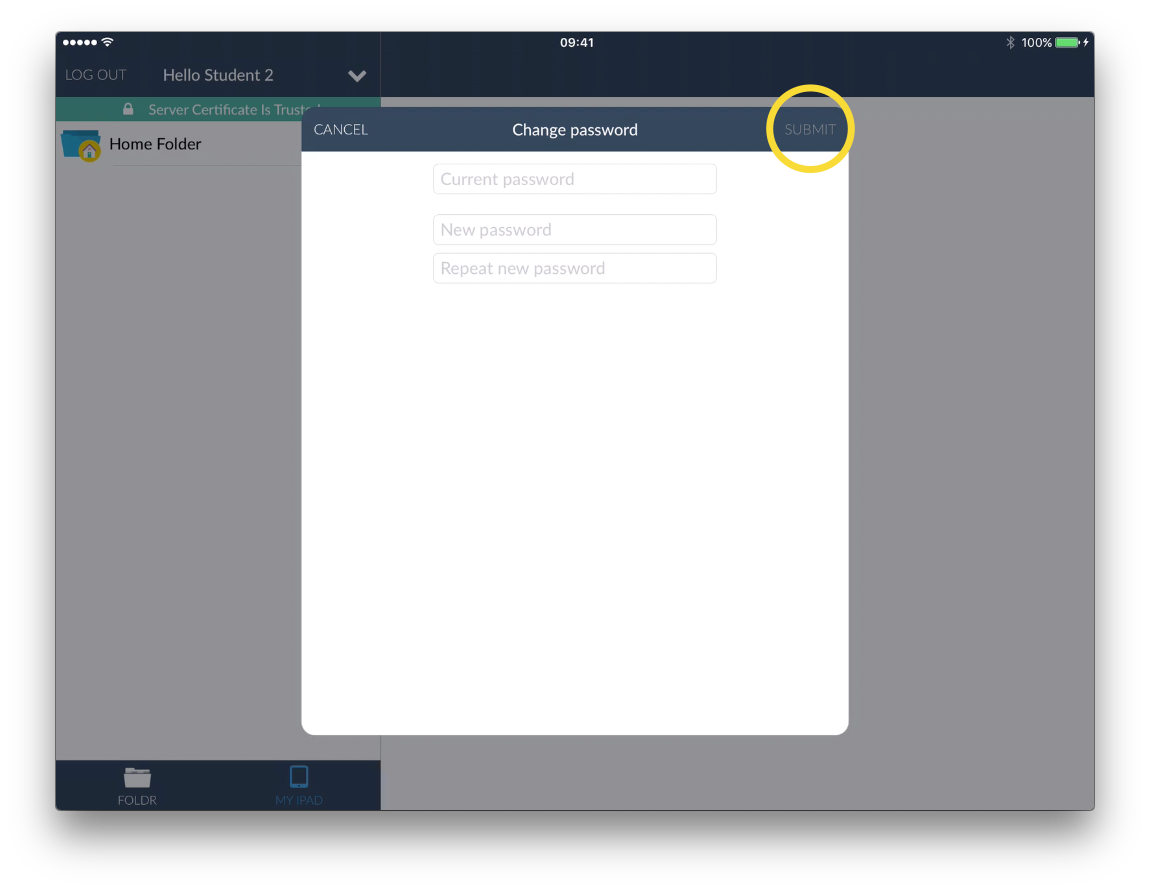
Next enter your current password and then your new password twice for confirmation. Then tap ‘SUBMIT’
You can change your Active Directory password in the Foldr for iOS app.
First login to Foldr and tap the Action Menu . Then tap ‘CHANGE PASSWORD’
Next enter your current password and then your new password twice for confirmation. Then tap ‘SUBMIT’