
When you contact Foldr support, the team will often ask for a support bundle. Bundles are zip files containing the activity logs, deployment configuration, and diagnostic data the team needs to troubleshoot your issue. None of the bundles include sensitive secrets (passwords, tokens, encryption keys), so they’re safe to email.
This article covers every place you can generate one: the server itself, the desktop apps (Windows and macOS), and the mobile apps (iOS and Android).
Foldr Server (admin)
The server bundle covers configuration snapshots and server-side logs. It is generated by an administrator from Foldr Settings.
Self-hosted only. On Foldr as a Service the support team can pull the server-side bundle directly; you don’t need to generate it.
-
Sign into Foldr Settings as the
fadminaccount (https://<your-foldr>/settings/ui). -
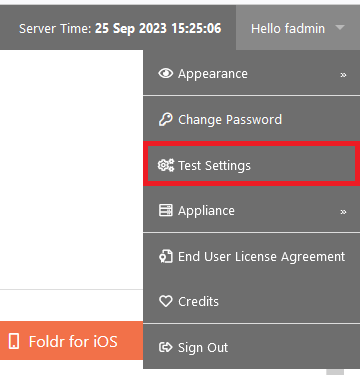
Click Hello fadmin in the top-right menu.

-
Click Test Settings.
-
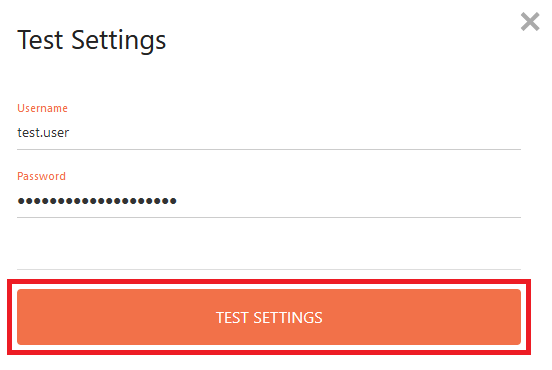
Enter user credentials. Foldr runs a series of tests against them: authentication, group memberships, home folder access. Click Test Settings to run.
-
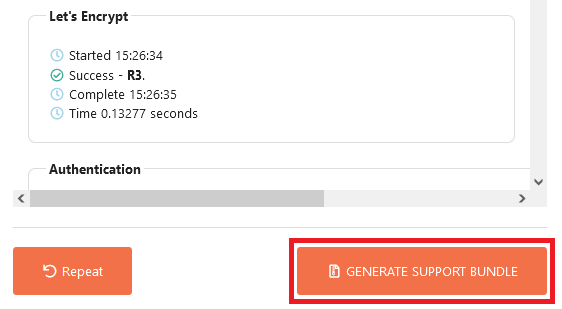
On the results screen, click Generate Support Bundle (bottom right).
-
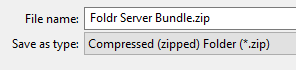
After a few seconds Foldr produces a zip file. Save it locally.


Windows app
-
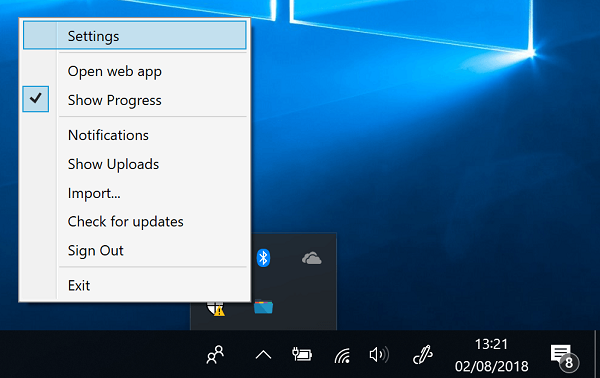
Right-click the Foldr icon in the system tray and choose Settings.
-
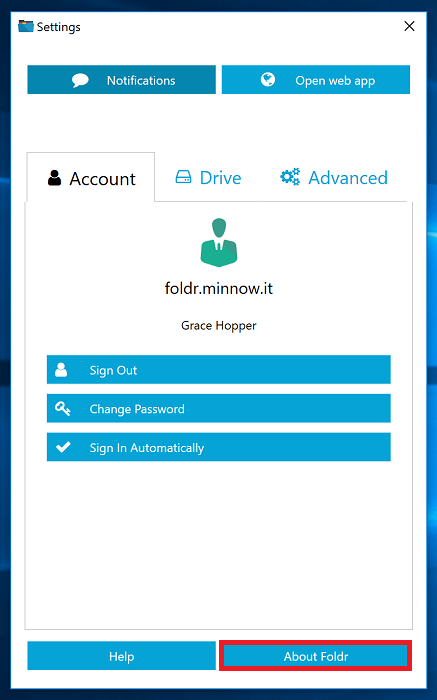
Click About Foldr.
-
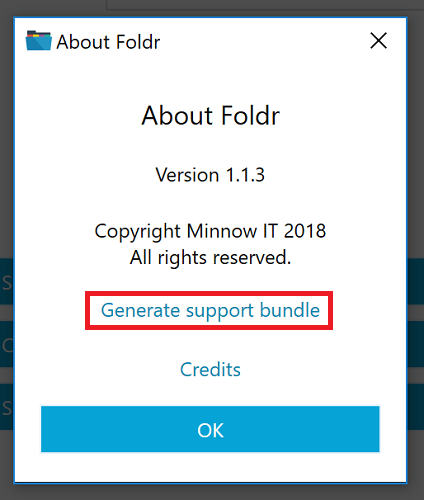
Click Generate support bundle.
-
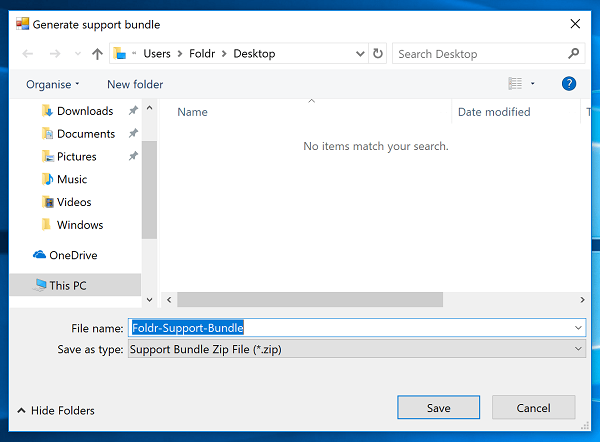
Save the resulting zip file.


macOS app
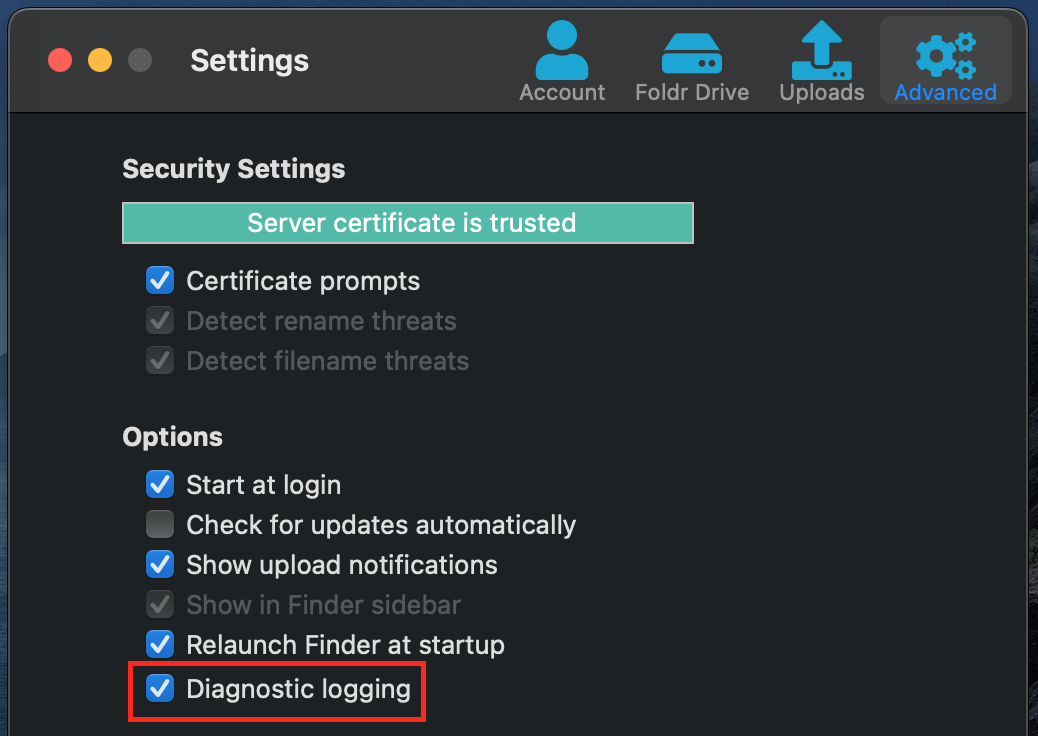
The macOS bundle contains the app activity log, the file-system driver log, and any other diagnostic logs from the deployment. For the most useful bundle, enable diagnostic logging first, reproduce the issue, then generate.
-
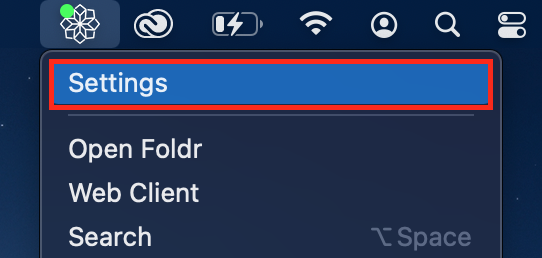
Click the Foldr menu bar icon and choose Settings.

-
On the Advanced tab, turn on Diagnostic Logging.
-
Reproduce the issue you’re reporting so it is captured in the logs.
-
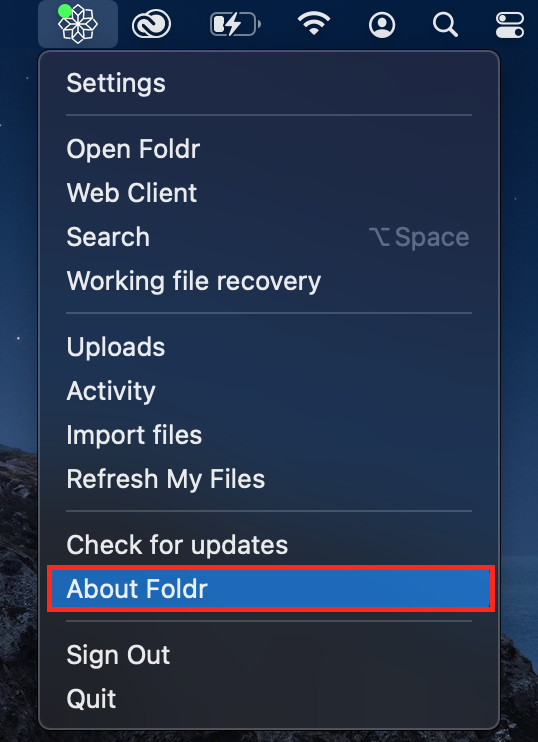
Click the Foldr menu bar icon and choose About Foldr.
-
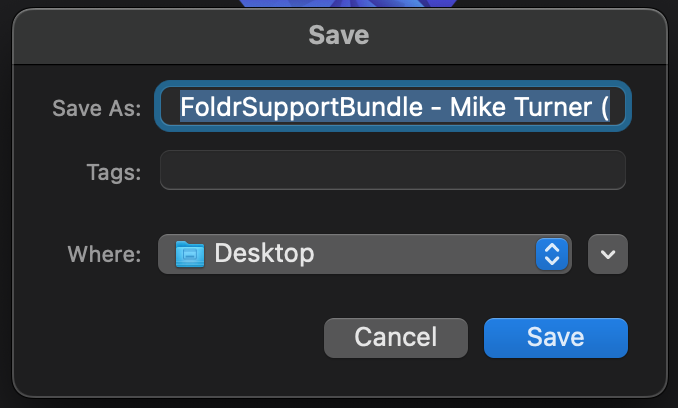
Click Generate Support Bundle and save the zip file.
-
Once you’ve sent the bundle, turn Diagnostic Logging back off on the Advanced tab.


iOS app
-
Open the Foldr app.
-
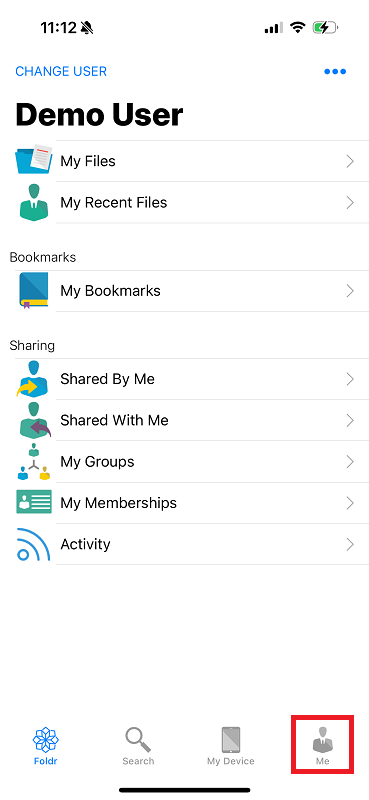
Tap the Me tab (bottom-right).
-
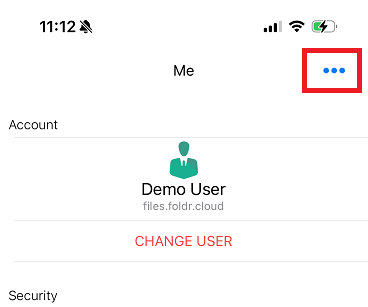
Tap the ellipsis menu at the top of the screen.
-
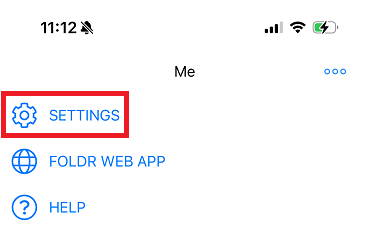
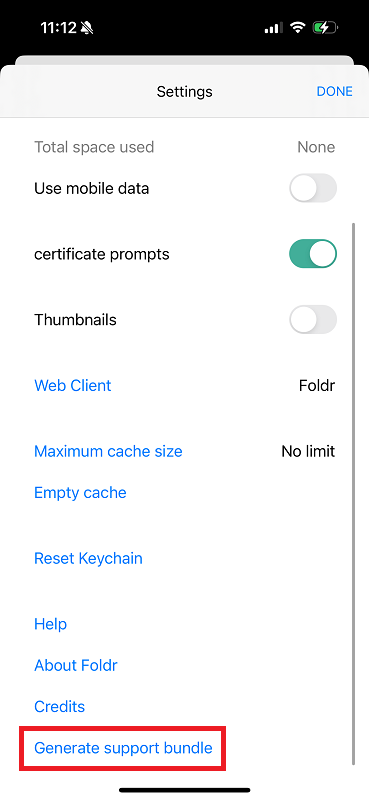
Tap Settings.
-
Tap Generate Support Bundle. (You may need to swipe up to see the option on smaller devices.)
-
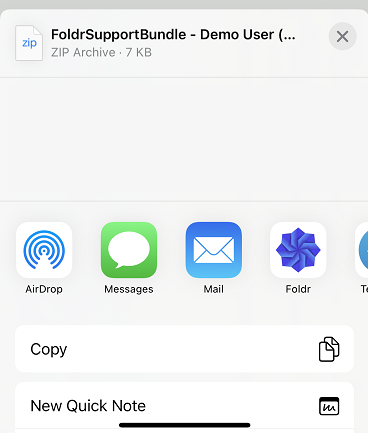
Use the iOS share sheet to email the bundle, AirDrop it, or copy it off the device another way.


Android app
-
Launch the Foldr app.
-
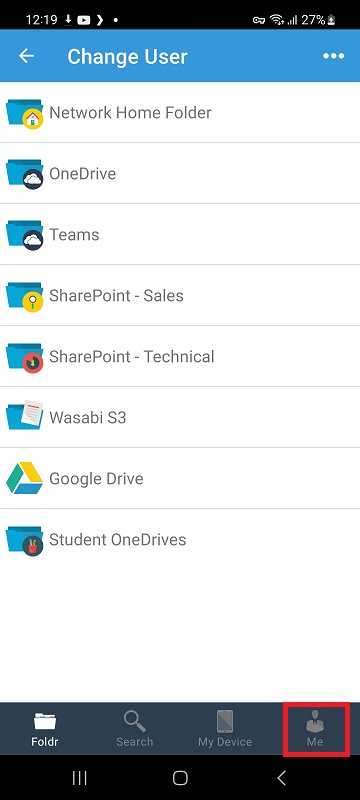
Tap the ME tab (bottom-right).
-
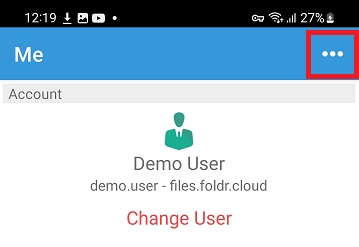
Tap the ellipsis menu at the top of the screen.
-
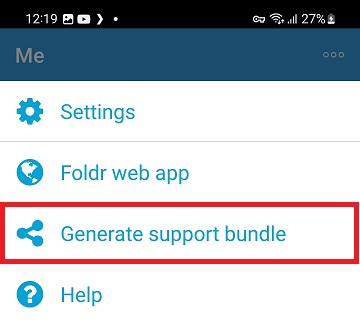
Tap Generate support bundle.
-
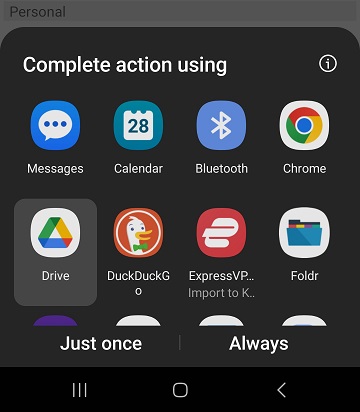
Use the standard Android share menu to email the bundle, copy it to cloud storage, or transfer it off the device.


Sending the bundle
Email the zip to [email protected].
If the bundle is bigger than your mail provider’s attachment limit, drop it into a Foldr share you have write access to and email a public link to support instead.